Run your whole home care agency from one application.
AI does the paperwork. Billing is built in.
From the first referral to the final invoice, it is one login and one record. AI reads the Medicaid forms, the faxed referral and the payer's rejection codes and does the typing, so a small office keeps up without hiring another biller or coordinator. Scheduling, an EVV app with GPS, Medicaid claims, invoices, payroll exports and a family portal all run in the same application, on phone, tablet or PC.
AI fills in the forms. Your staff checks and signs.
The paperwork that eats an office's week — the Medicaid authorization forms, the faxed referral, the blank PDF nobody has time to set up — is read and filled in by AI. Nothing is saved until a person on your staff has checked it.
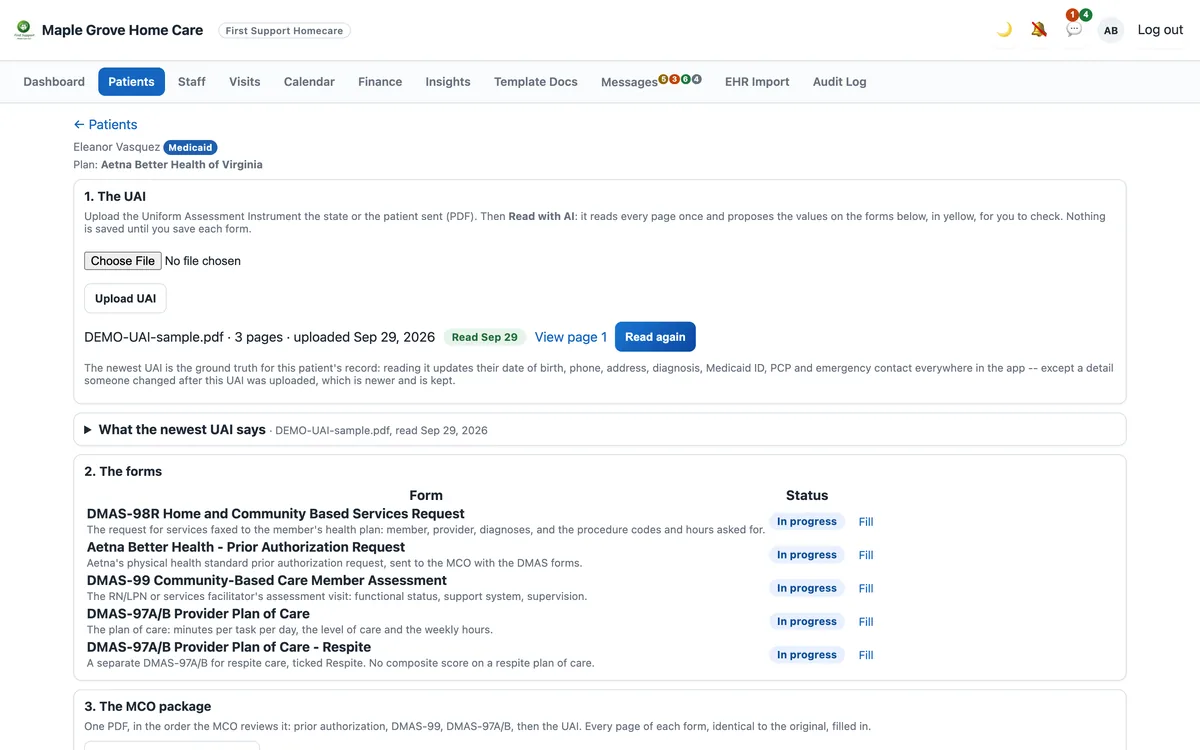
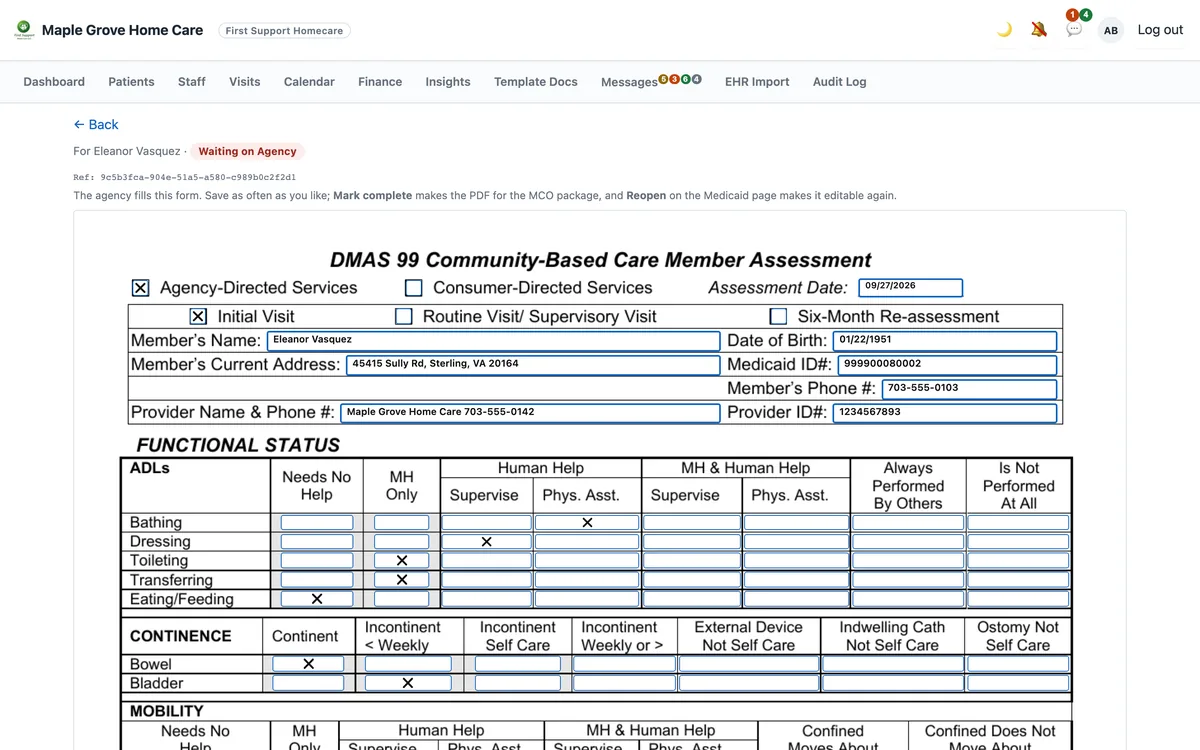
- 📄The UAI in, every Medicaid form outUpload the state's assessment and AI reads every page once. The DMAS-99, DMAS-97A/B, DMAS-98R and the MCO's prior authorization come out filled in, identical to the originals, then leave as one PDF package in the order the plan reviews it.
- 📠A faxed referral becomes a clientAI reads the name, Medicaid ID, doctor, diagnoses and medications off the fax. You confirm whose it is, and the record is written.
- 📨Fax in and out — no fax machineSend forms to the doctor or the health plan from the client's page. Received faxes land in one inbox, ready to file or read.
- ✨Any blank PDF becomes a fillable formAI proposes a box for every blank on the page, so a new form takes minutes to set up instead of an afternoon of measuring.
- 🪪IDs, certifications and plan cards, read for youExpired licenses and certifications are flagged before a surveyor finds them; the member ID is read off the insurance card.
The AI proposes; a person approves. Every value it reads is shown next to the original for your staff to check before anything is saved or sent. HIPAA-covered: it runs on AWS under our signed Business Associate Agreement.
See the AI fill a formCare turns into money — in the same application.
Claims, invoices and payroll hours all come from the visits your caregivers already logged. Nothing is typed twice.
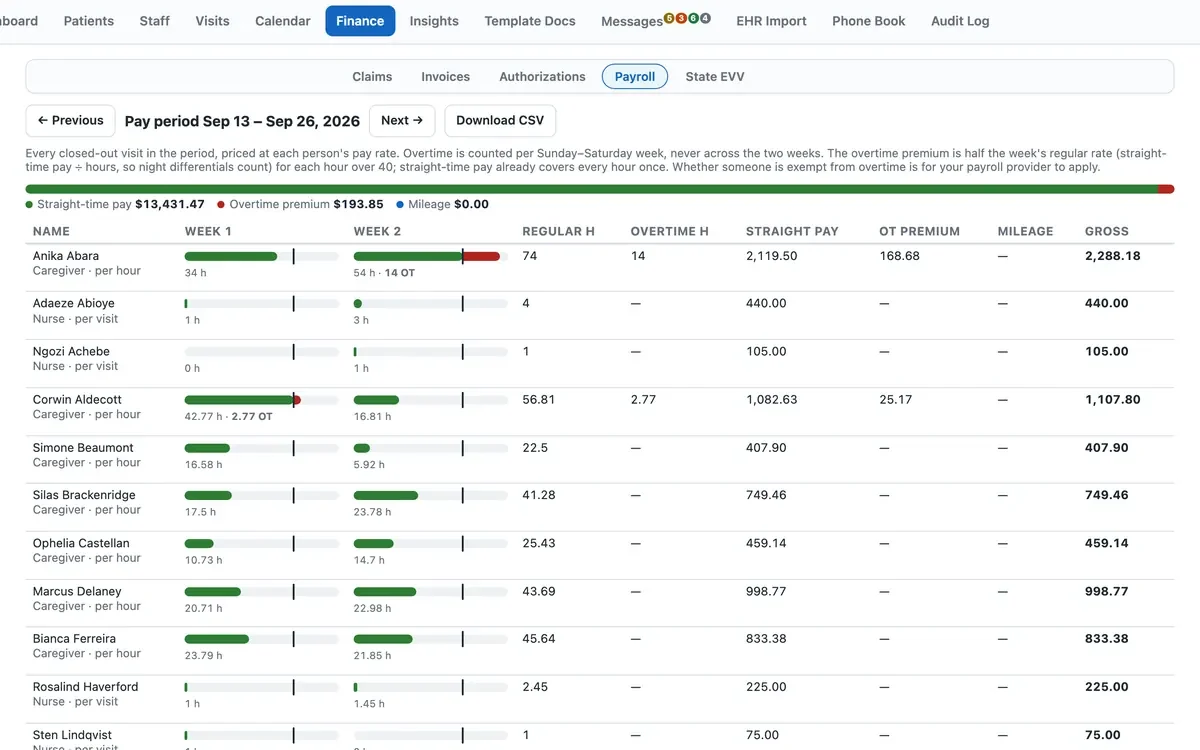
- 🧾Payroll hours from the same timesheetsEvery closed-out visit priced at each person's rate, overtime counted week by week, mileage kept apart, and a CSV for your payroll service.
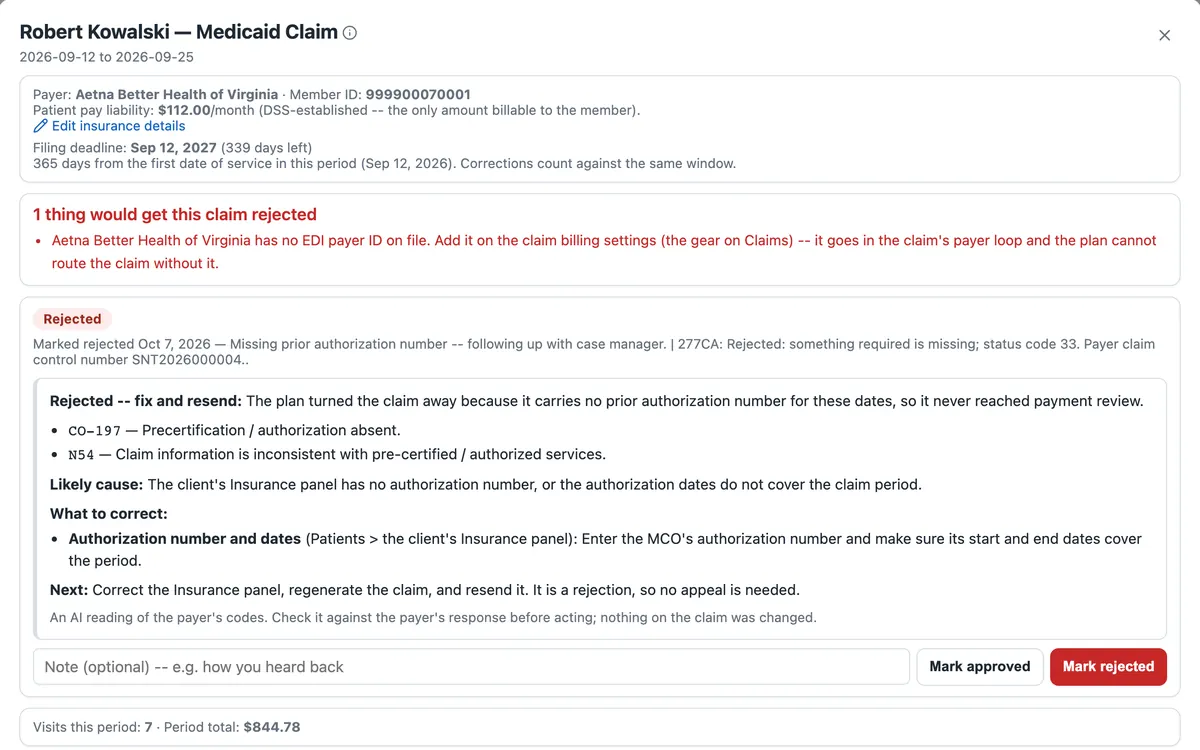
- ✨A rejected claim, in plain EnglishAI reads the payer's codes, says what went wrong, and points to the field to fix before you resend.
- 💳Claims and invoices from the same visits837P files, CMS-1500 forms and remittance matching for Medicaid, and one-click private-pay invoices with the visit detail behind every line.
Every dollar traces back to a visit. Claims, invoices and payroll hours come from the same clock-ins, so the numbers agree. Your payroll service keeps handling paychecks and tax filings.
See it in a demoYour state decides how EVV is proven. The software already speaks it.
Five states take EVV from the agency directly and the software is ready there today; the other forty-six route it through an aggregator or run their own state system, each with a page on where things stand. Pick yours.
Nothing gets re-typed between clock-in and payment.
The same record moves through every step — the caregiver's phone, the office, the payer and the family.
One home care application for records, EVV, scheduling, messaging, billing, payroll exports, fax and AI-filled paperwork.
Manage home care from one login and one client record, with nothing re-typed between tools. Every screen below is the live product with demo data — click any of them to see it full size, or read the full product page.
✨ AI fills your Medicaid forms
Upload the UAI and AI reads every page. The DMAS-99, DMAS-97A/B, DMAS-98R and the MCO prior authorization come out filled in, for your staff to check and sign.
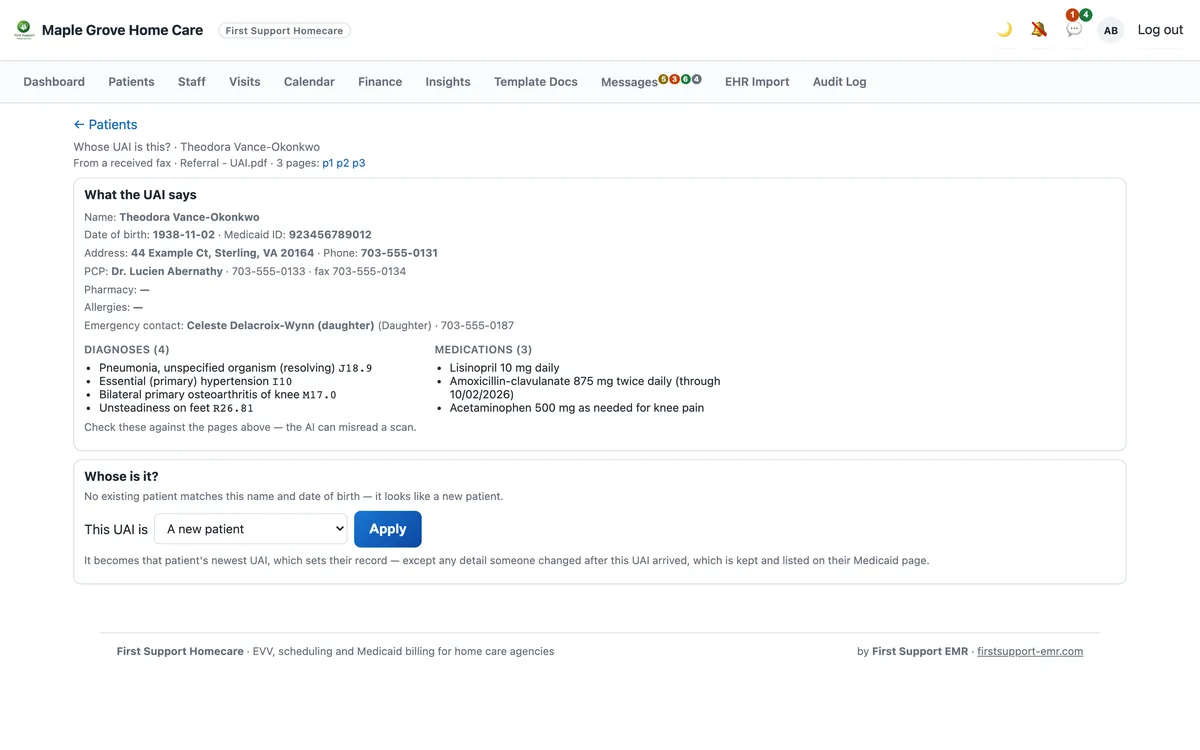
✨ A faxed referral becomes a client
AI reads the name, Medicaid ID, doctor, diagnoses and medications off the fax. Confirm whose it is and the record is written.
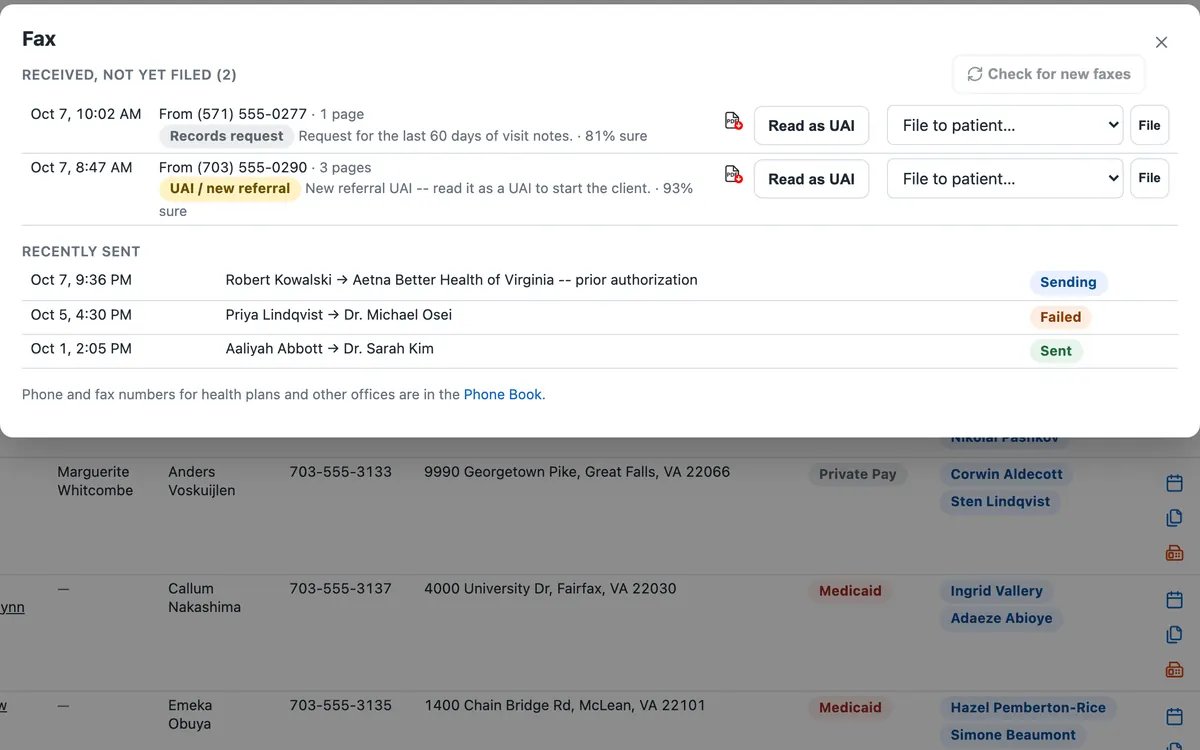
✨ Every fax sorted by AI
Each incoming fax is labelled — a new referral, a records request — with how sure the AI is and whose file it most likely belongs in.
Payroll hours from the same timesheets
Every closed-out visit priced at each person's rate, with overtime counted per week and mileage kept apart. Download a CSV for your payroll service.
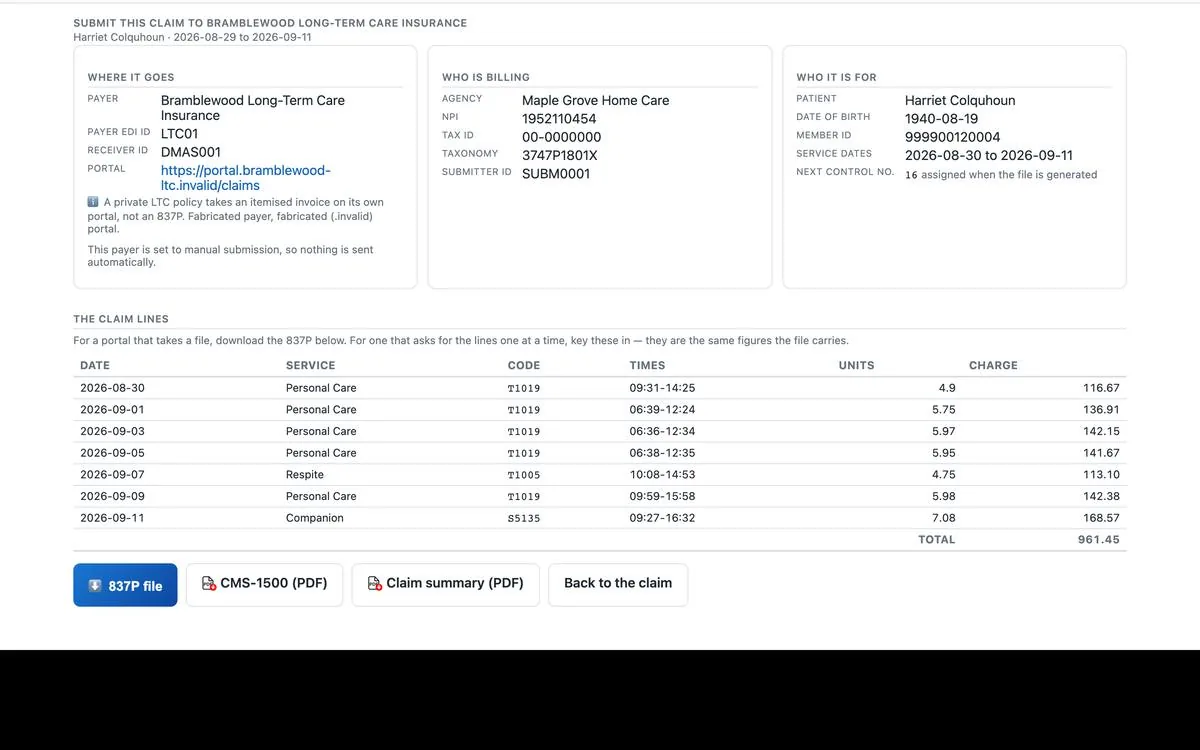
Medicaid billing built in
Each claim leaves as a pack: payer, identifiers, claim lines, 837P and CMS-1500. Acknowledgements and remittances match back to the claim.
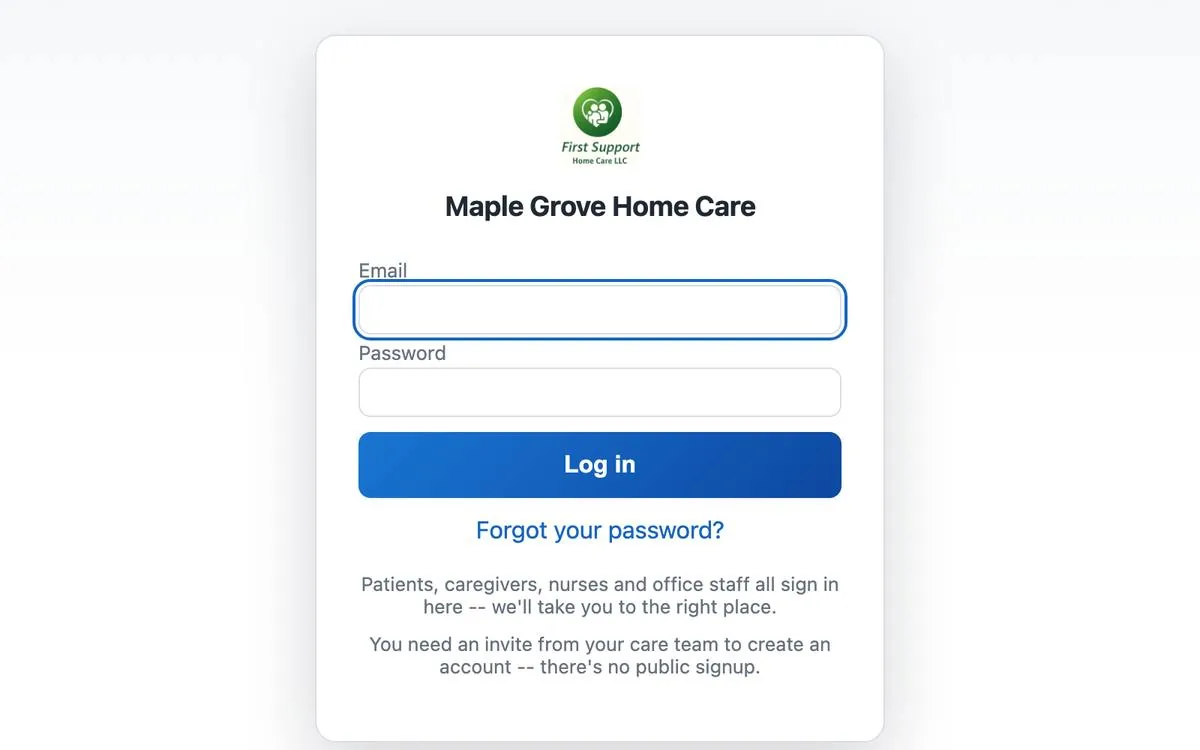
One login for everyone
Nurses, caregivers and families sign in securely, complete fillable forms and submit documents electronically, so nothing goes on paper.
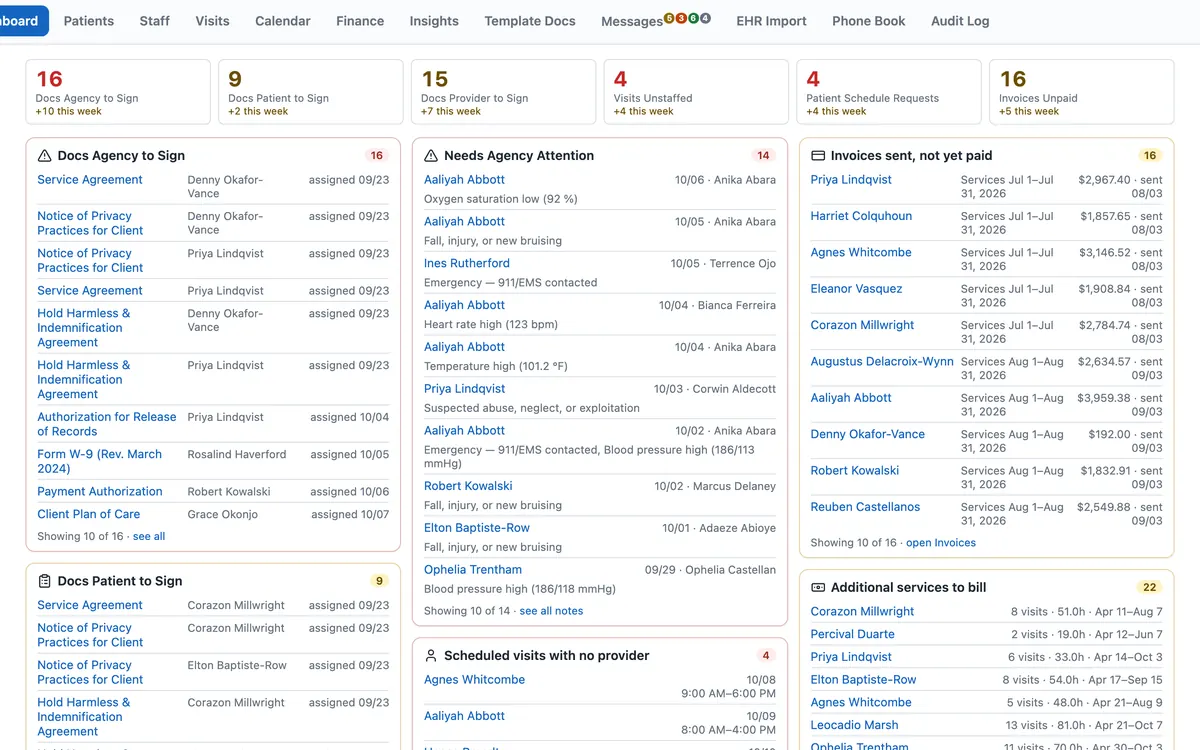
Your whole agency on one screen
When you log in, the home care software shows unsigned documents, unstaffed visits, unpaid invoices and alerts first.
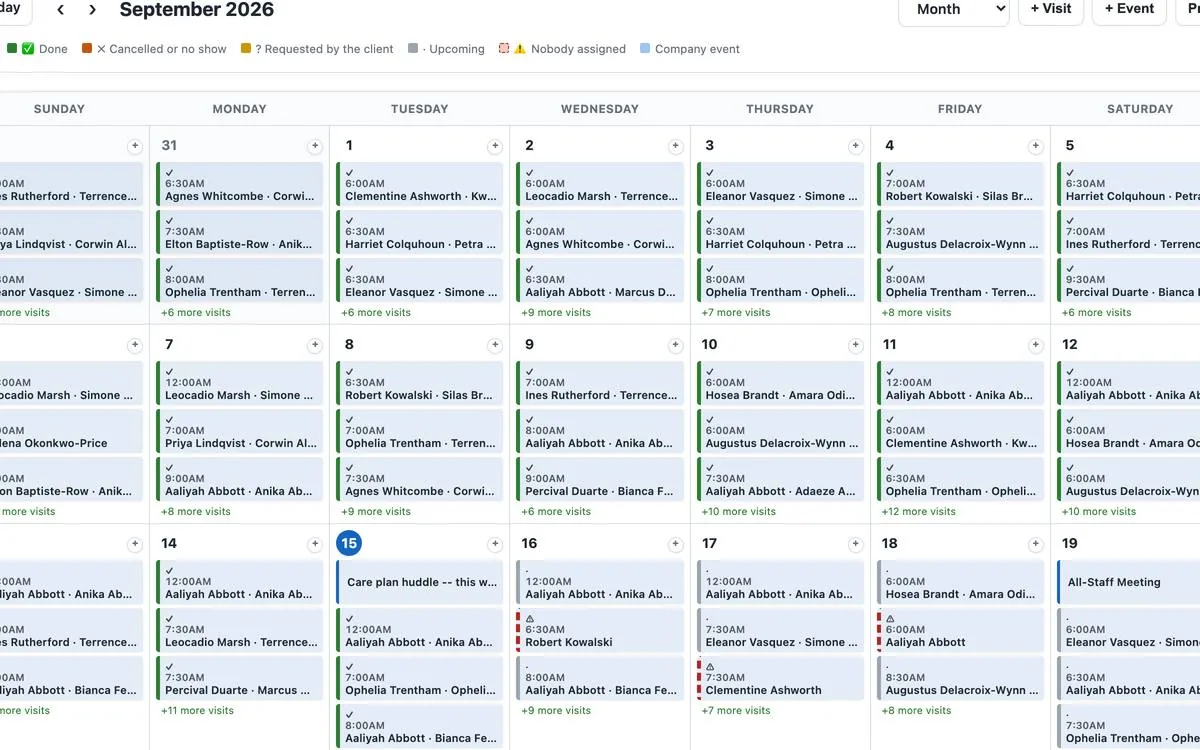
Home care scheduling that shows the gaps
Every visit, who is covering it, and what is still unassigned — with unstaffed shifts listed soonest first.
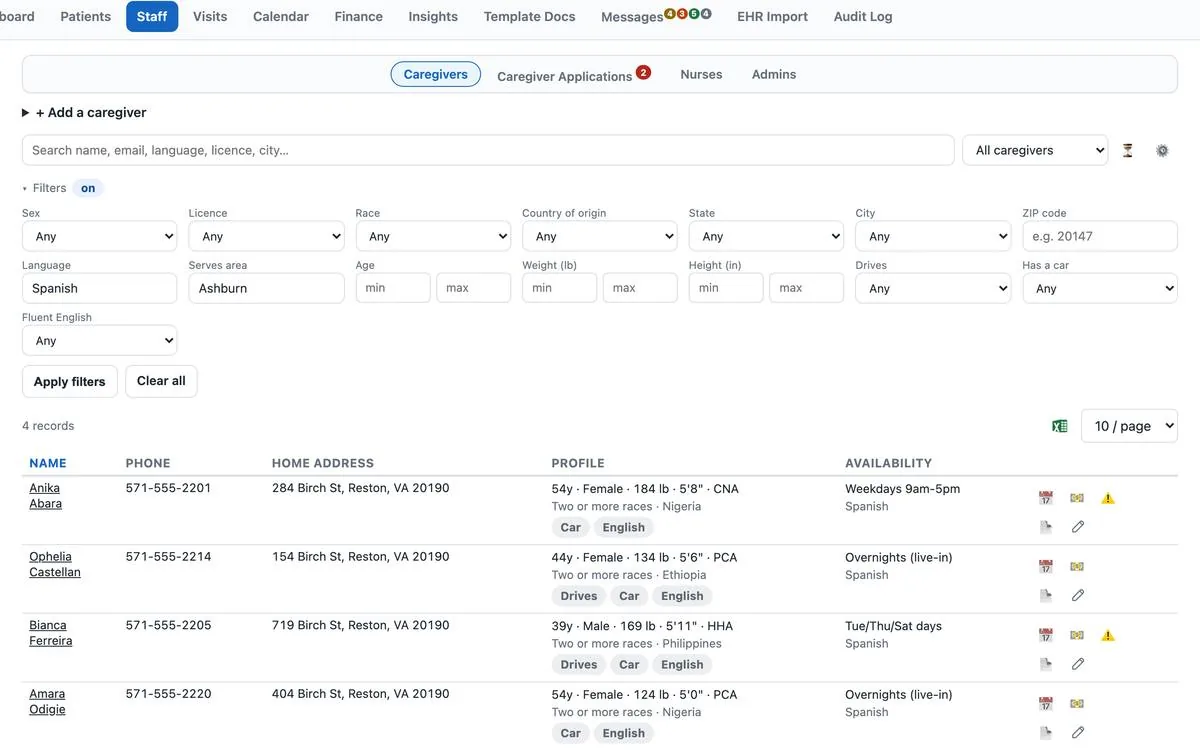
Smart staff matching
Match caregivers and nurses to a client by location, language, availability, licence and preferences, rather than by memory.
Health information stays protected, on every plan.
Thirty-three security controls run inside the software for every agency, from the first sign-in to the record your state receives.
Questions agencies ask about home care software
What does home care software do?
It replaces the spreadsheets, paper timesheets and separate billing tools most agencies juggle. First Support Homecare handles scheduling, EVV, visit notes, caregiver documents and Medicaid billing. It also covers private-pay invoices, payroll exports and a family portal, all in one home care application. So your team enters each visit once, and it flows all the way through to payment. In short, it lets you manage home care from one place.
Does it run payroll?
It prepares the hours, not the paychecks. Every payroll period comes from the same timesheets: each visit priced at the person's rate, overtime counted per week and mileage kept apart. You can view any period and download it as a CSV for your payroll service, which keeps handling paychecks, tax withholding and tax filings.
Does the EVV app meet the federal EVV requirement?
The 21st Century Cures Act requires every state Medicaid program to verify personal care and home health visits electronically. Our EVV app records who gave the visit, who received it and the date. It also records the start and end times, with a GPS location at clock-in and clock-out. However, each state sets its own rules for submitting that data, so we go through your state's rules in the demo.
Can agencies outside Virginia use it?
Yes. First Support Homecare is web-based home care software, so it runs on any phone, tablet or PC in any state. There is nothing to install. See how it works in Virginia, Utah, Washington, Oregon and New York, or find your state on the 51-state EVV map. Claims come out as 837P files and CMS-1500 forms, which are the standard formats used across the United States.
What does the AI do, and who checks it?
It reads the documents that arrive — the UAI, a faxed referral, an ID, a certification, an insurance card, a blank PDF — and fills in the forms and fields from them: the DMAS-99, DMAS-97A/B, DMAS-98R and the MCO prior authorization, among others. It only proposes. Every value is shown next to the original, and nothing is saved or sent until someone on your staff has checked it. The AI runs on AWS under the same signed Business Associate Agreement as the rest of the system, so client documents stay HIPAA-covered and are never used to train a model.
How do we switch from our current system?
We import your clients, staff and visits and you check them. The switch plan takes four weeks, including one week running both systems. See the plan.
Is our data secure?
Yes. We host the home care software on AWS under a signed Business Associate Agreement. It also keeps an encrypted database and an audit log of every change.
How much does it cost?
From $6.99 per active client a month for private pay and $8.99 with Medicaid, with a $99 monthly minimum. AI is an optional add-on."cta" id="call">
See exactly how it works. Twenty minutes, no obligation.
A short screen-share of the working system, end to end. So if it is not a fit, you will know in the first five minutes. Leave your details and we will call to set a time.
Tell us where to reach you
Request a demo
Tell us where to reach you and we will call to set a time. No obligation.